Step-by-step guidance
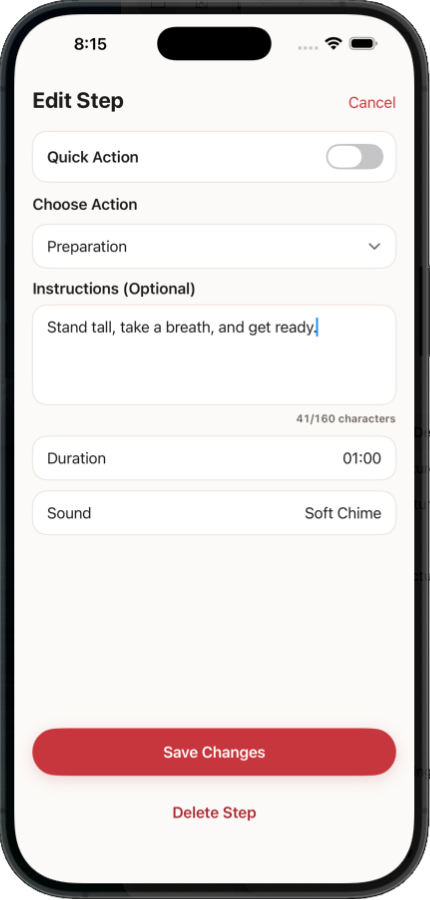
Create routines with clear actions, durations, instructions, and optional media for each step.
Kololad helps you move through routines one step at a time with clear timers, visual cues, sounds, and a calm player designed to keep you on track.

Plan it, see it, and move through it one step at a time. Kololad keeps each step in front of you so you always know what comes next.
Create routines with clear actions, durations, instructions, and optional media for each step.
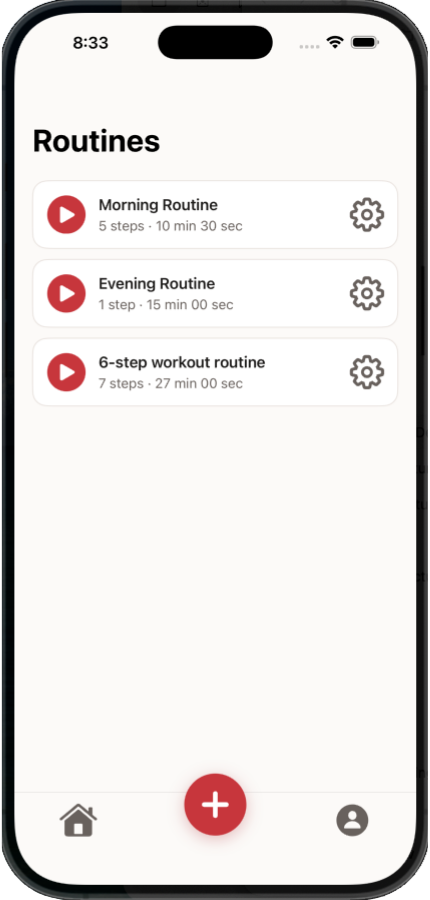
Organize your routines, see their total time, and start the one you need with a simple tap.
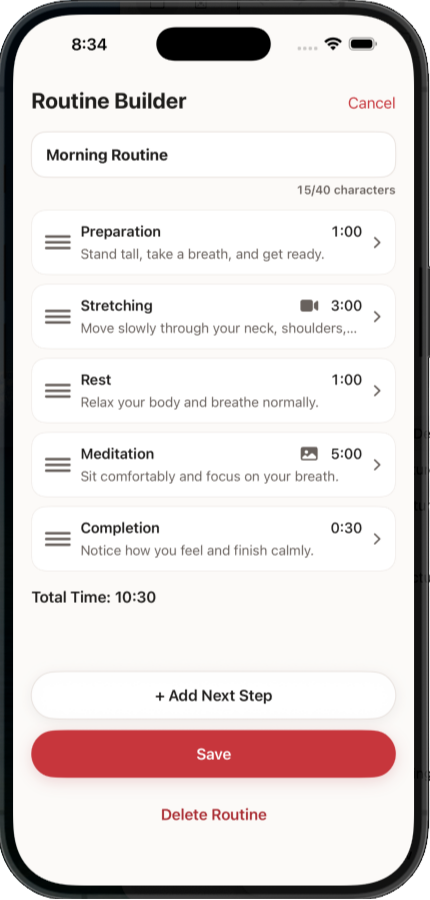
Use Kololad for morning routines, preparation, stretching, meditation, transitions, and more.
Each step runs on its own timer, so a routine keeps a steady pace.
A clean, single-step view keeps your attention on the action at hand.
Reuse routines day after day so good habits become effortless.
Start with Kololad Free and explore the complete core routine experience. Kololad Plus is optional and managed securely through Apple.
Yes. Kololad Free includes the complete core routine experience, so you can build and play a routine without starting a trial or purchasing a subscription.
The Free plan supports one active routine with up to 10 active steps and includes basic sounds. Upgrade only when you want more capacity and the complete sound library.
Kololad Plus unlocks unlimited routines, unlimited steps, all step sounds, and all completion phrase options.
Monthly and yearly subscription options are available. Your localized App Store price is shown inside Kololad before you confirm a purchase.
Yes. Apple manages Kololad Plus subscriptions, so you do not need to contact Kololad support to cancel.
On your iPhone:
Cancelling stops the subscription from renewing automatically. Apple shows the subscription’s current status and expiration information on the same screen.
Your saved routines are not deleted when Kololad Plus ends.
Kololad returns to the Free plan limits: one routine remains active, additional routines stay saved but are locked, and only the first 10 steps of a longer active routine are available during Free playback.
You can continue using Kololad Free or activate Plus again later.
Kololad Plus purchases and subscription billing are processed by Apple through the App Store.
Leksiana LLC does not collect or store your payment card information. Apple displays the price, billing period, and purchase confirmation before completing the transaction.
Kololad focuses on simple routine creation, guided playback, sounds, and clear routine flow — so you can stay focused without constantly thinking about what comes next.
Download Kololad Free. No trial or subscription required.
Already using Kololad and need help? Visit Support.